
Web app tour
A screen-by-screen tour of the serge web app (reviewbot-web). For setup and
the trust model behind staged reviews, see Staged web app; for how
the whole thing fits together, see Architecture.
The app is a small, signed-in dashboard. The top navigation is the same on every page:
New review · Settings · Pods · Journal · Help — plus Sign out. (The Help link opens these docs.)
Sign in
GET /login
Access to the UI is gated by GitHub OAuth. Signing in with GitHub establishes
the session; who is allowed in is controlled by WEB_ALLOWED_USERS /
WEB_ALLOWED_ORG. (DEV_NO_AUTH=1 skips this for local development only.)
New review
GET /
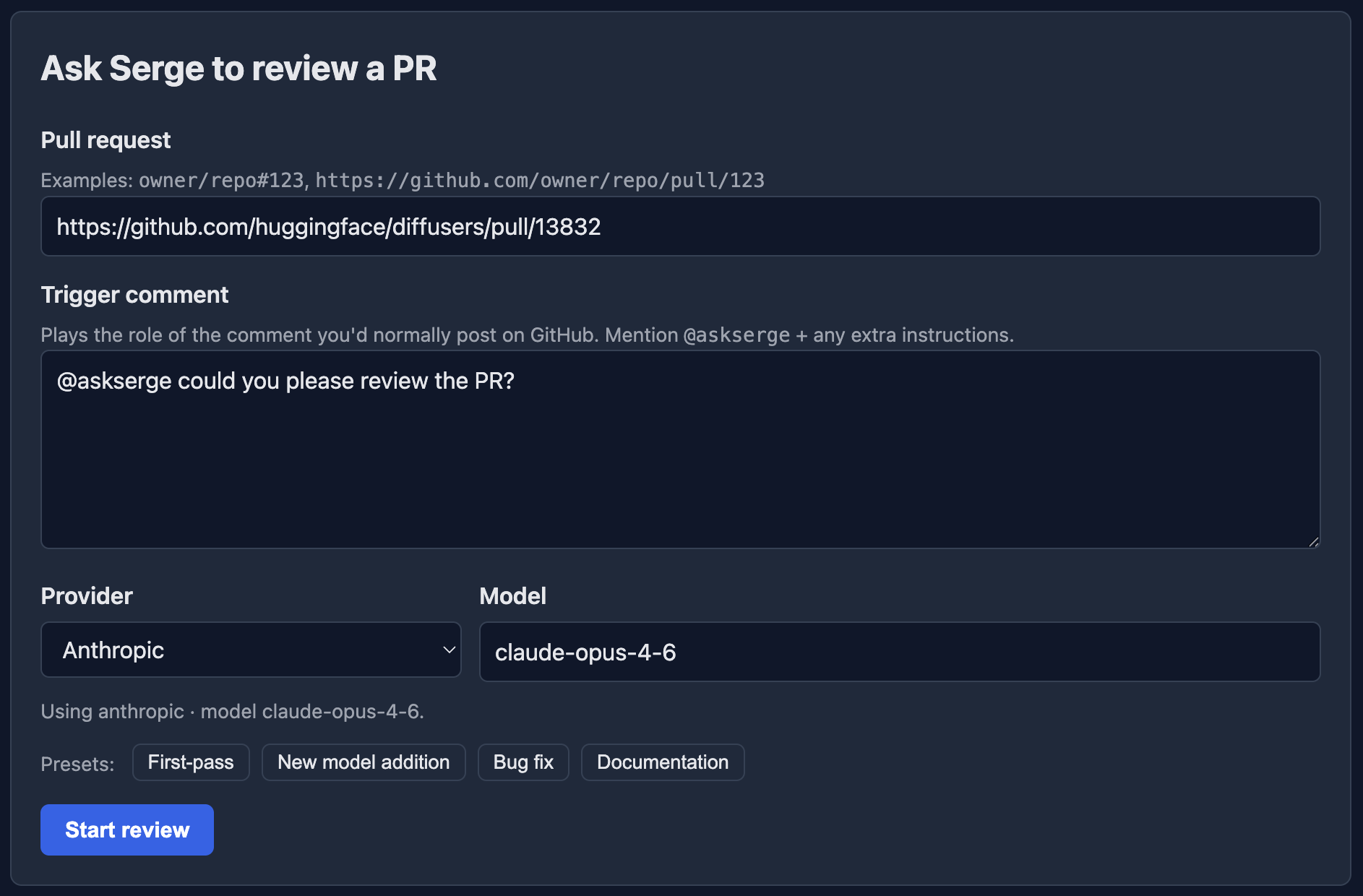
The landing page. You describe a review the same way you would on GitHub, then run it:
- Pull request — a PR URL or
owner/repo#123. - Trigger comment — plays the role of the comment you’d post on GitHub;
start it with
@askserge(the trigger must be the first word), plus any extra instructions for this run. - Provider / Model — pick the provider and model. The model field is a
dropdown of that provider’s models: for Hugging Face, the tool-capable models
from the HF Inference Providers router; for
the keyed providers, the models their
/modelsroute advertises, listed server-side with a stored key you’re authorized to use. Typing a PR re-lists against the config that actually matches that repo. - Max input tokens — the cumulative input-token budget for the whole review. Blank uses the deployment default; presets (First-pass, New model addition, Bug fix, Documentation) fill in a sensible starting point.
- Start review — kicks off the run and takes you to the live review page.
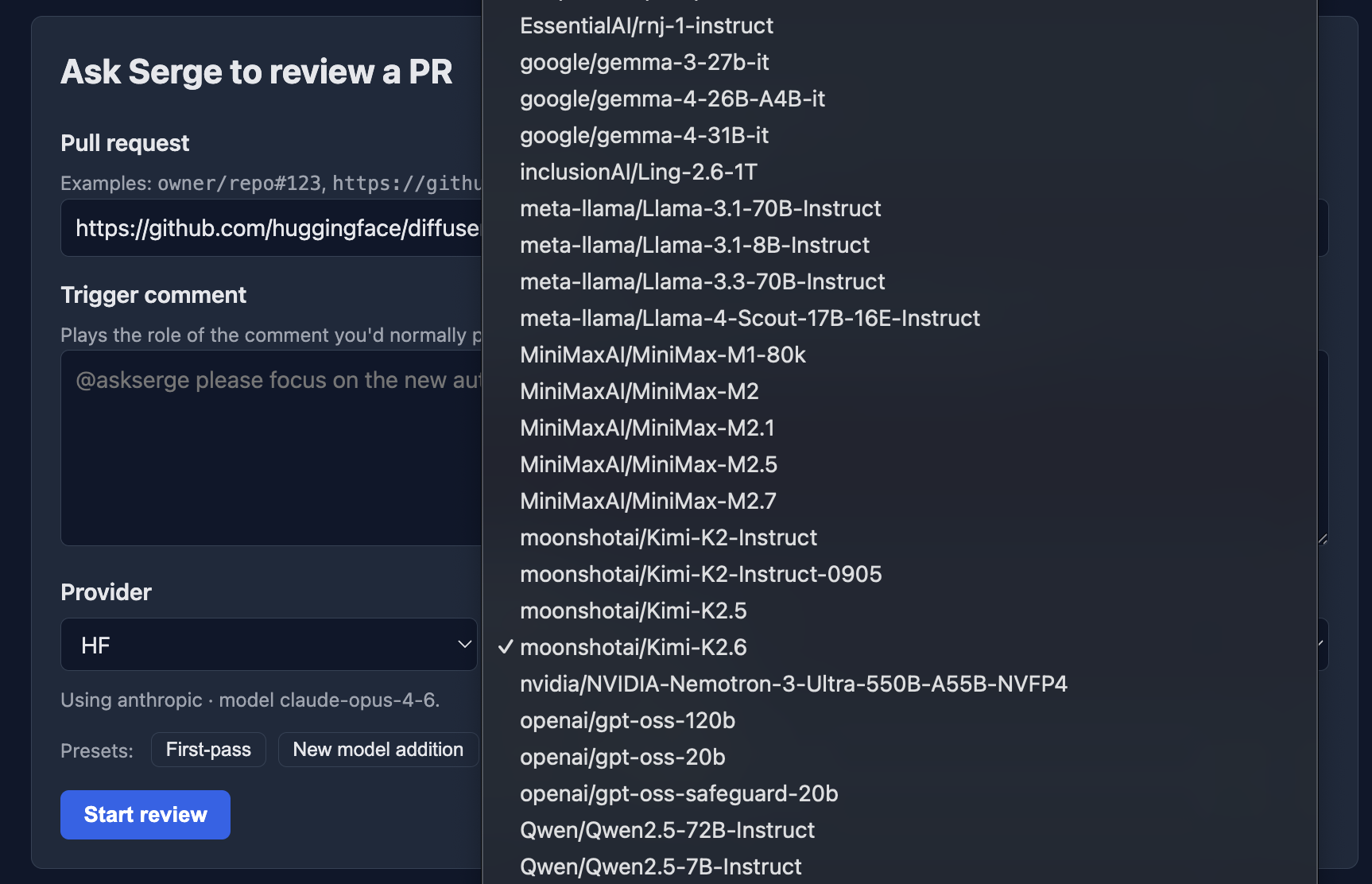
For a Hugging Face provider, the Model field is a searchable dropdown of the tool-capable models served by the router (the other providers get the same control, populated from their own catalogue):
Live review & draft
GET /reviews/{owner}/{repo}/{number}/{job_id}
Where a review plays out and where you decide what reaches GitHub:
-
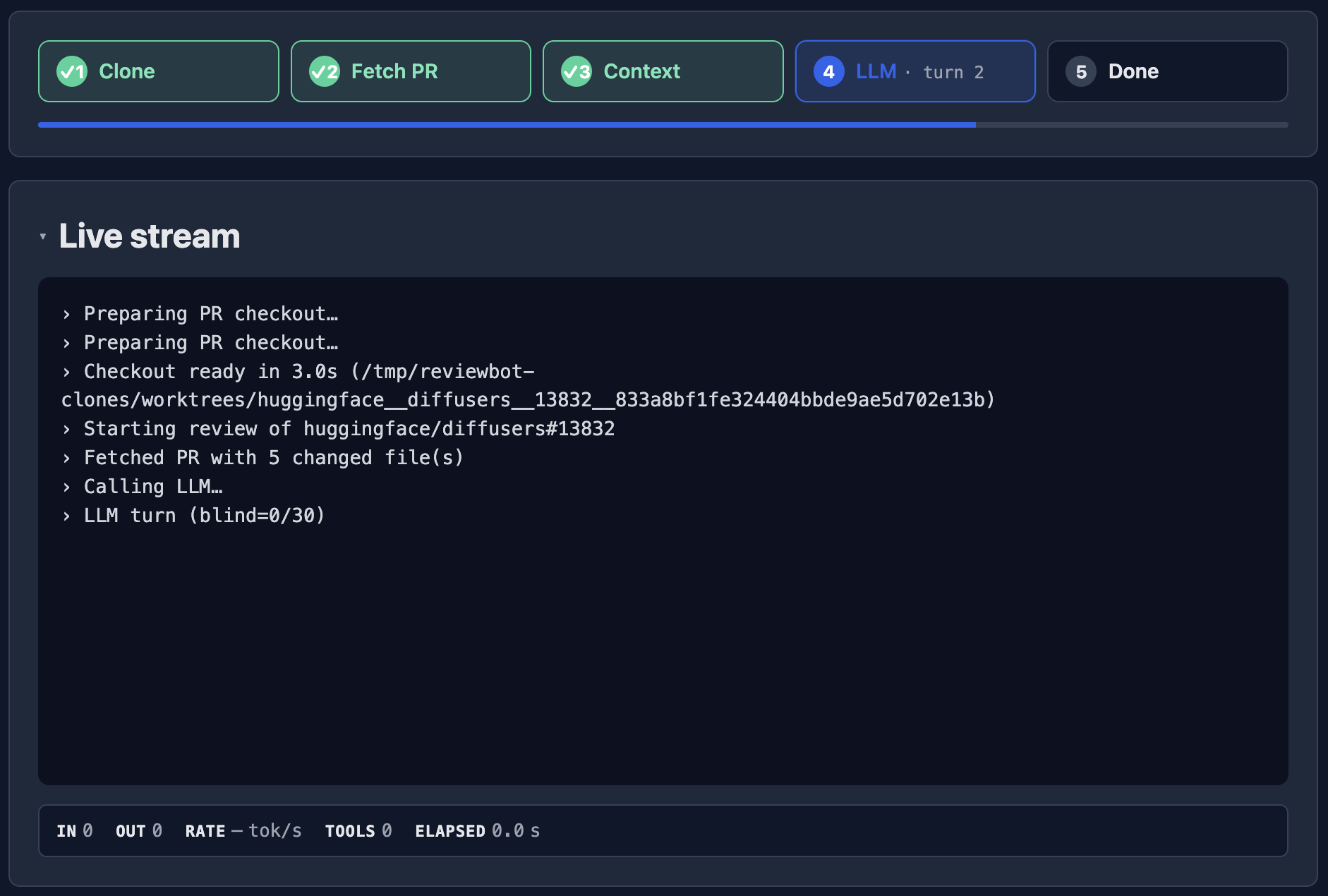
Live stream — a step tracker (Clone → Fetch PR → Context → LLM → Done) plus the model’s tokens, tool calls, and progress in real time, with running IN/OUT/RATE/TOOLS/ELAPSED counters. When reviews run in per-review pods a “Launch pod” step appears first.
-
Review draft — once the run finishes, the editable result: the summary, the review event (Comment / Request changes / Approve), and each inline comment. You can edit text, discard noisy comments, then Publish review or Discard fully.
Approveis blocked unlessALLOW_APPROVE=1; Review again re-runs the same PR + comment.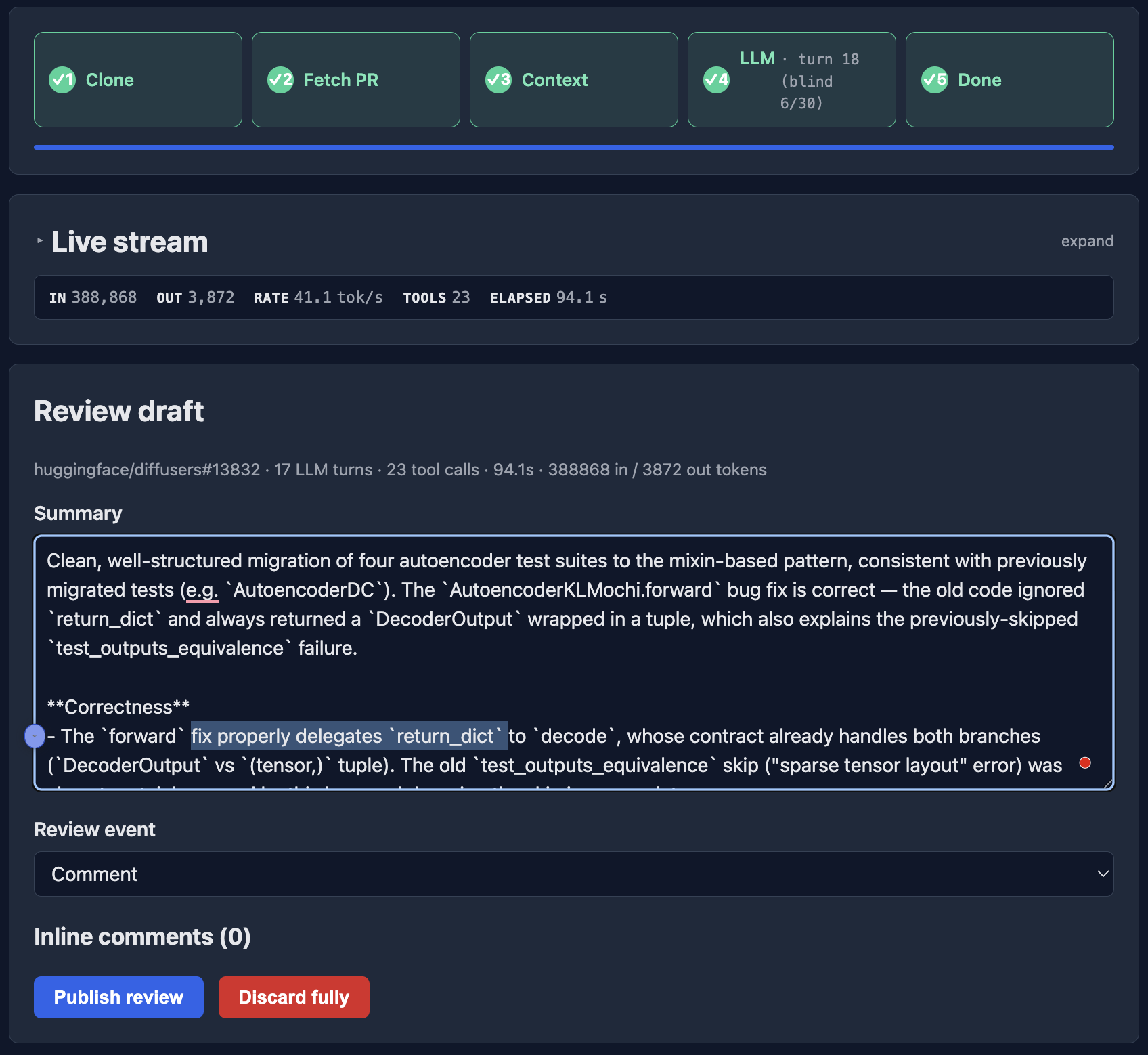
-
Review log — the structured record of the run.
Journal
GET /journal
The Call journal — every review and task call ever made: when it ran, its type, who ran it, the PR or task, the provider/model, tokens in and out, and the final status. Useful for auditing usage and spotting failures.
Settings (provider configs)
GET /admin
Per-repository provider configs. Each row binds a repo pattern
(owner/repo or owner/*) to a provider, default model, and API key, and lists
who may use it. The table shows Repo, Provider, Default model, Users / orgs,
whether write-capable Tasks are enabled, the key state, and when it was last
updated. The form below adds or edits a config (Provider, Default model, Base
URL, API key, …). Keys are write-only — replaceable through the UI but never
readable back — and the most-specific matching config wins at review time.
Pods
GET /admin/pods
When reviews and tasks run in per-request Kubernetes pods, this page lists what is running now — Started, Kind, Repo, User, Job status, Pod phase, Node, and the Pod name — auto-refreshing every 5s. Each row has a kill action to stop a runaway job. It joins live cluster pods with serge’s tracked jobs, so both orphaned pods (after a restart) and just-launched ones show up. See Architecture → Pods.
Task console
GET /tasks/{owner}/{repo}/{job_id}
The live console for a write-capable task — the same streaming
UI as a review, showing the agent loop as serge produces a fix and opens (or
amends) a PR. This is where the url returned by POST /tasks points.
Help
The Help item in the nav is not a page — it links straight to this documentation site.